The family organiser
The whole household, on one screen.
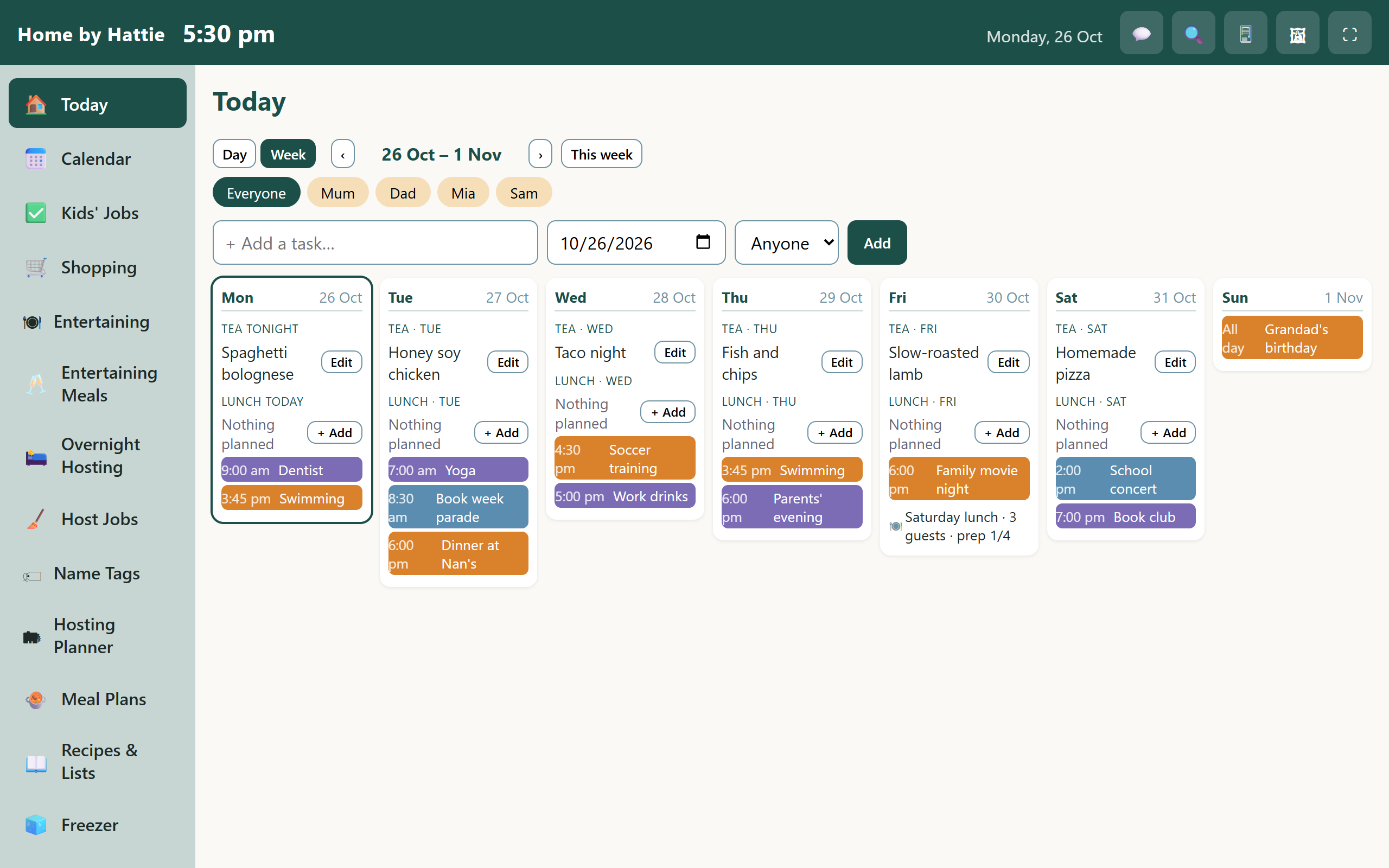
Calendar, jobs, shopping, meals and events, shared by everyone at home. Put it on the kitchen wall or carry it in your pocket.
H.A.T.T.I.E. Household Assistant, Tasks, Timetables, Ideas & Events
Free while we're in the pilot. Nothing to install.
Sound familiar?
Home runs on a lot of little questions.
Hattie keeps the answers in one place, so you stop being the person who remembers everything.
What's inside
Everything the household needs, nothing it doesn't.
Family calendar
Everyone's events in one view, colour-coded by person. Syncs with your Google Calendar.
Jobs and tasks
Who's doing what, tick them off, and see Google Tasks alongside.
Shopping list
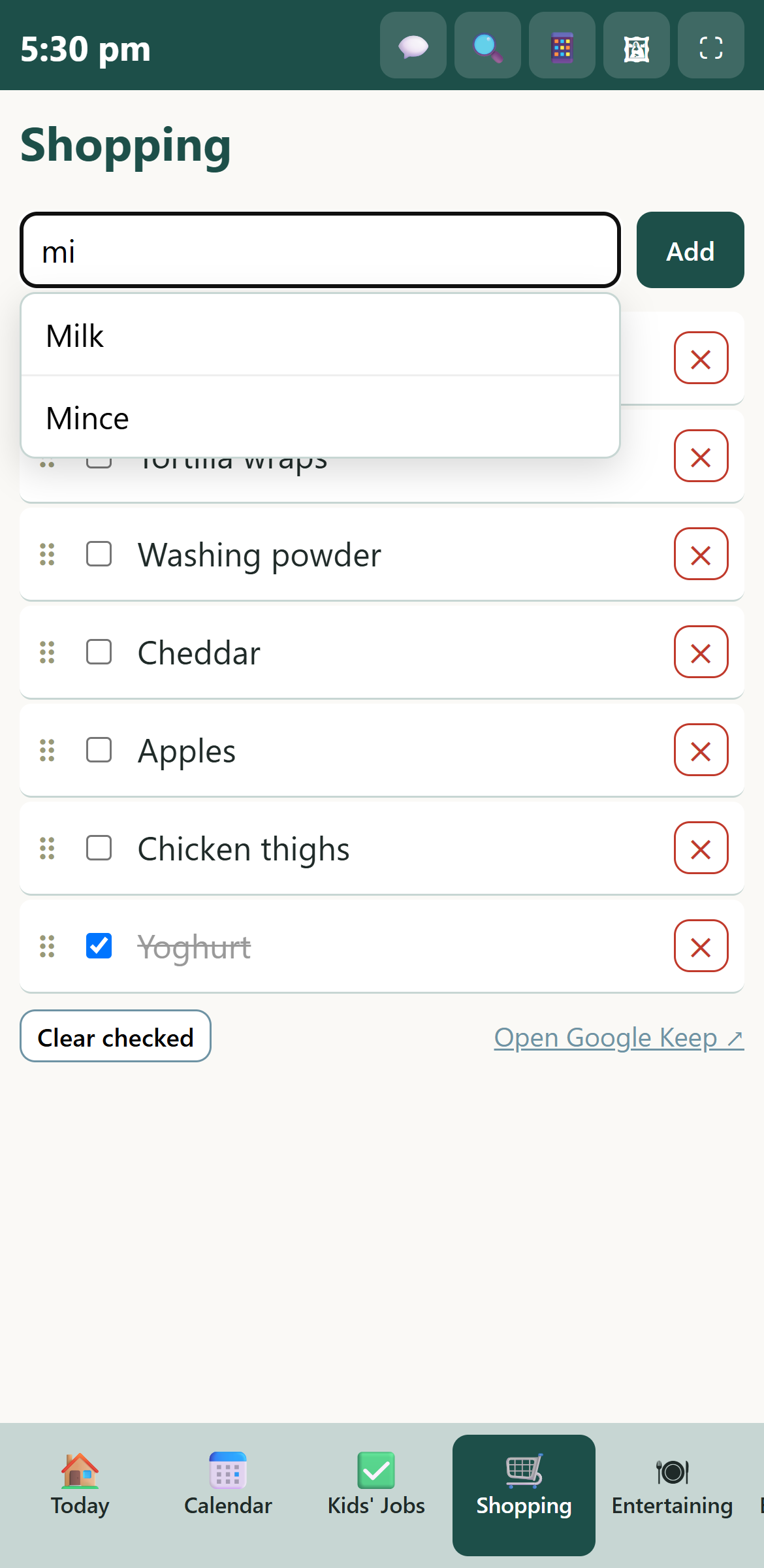
Start typing and it suggests what you've bought before. Tick things off as you go.
Meal plans
Plan the week, keep a library of your family's menus and drag them into place.
Events and guests
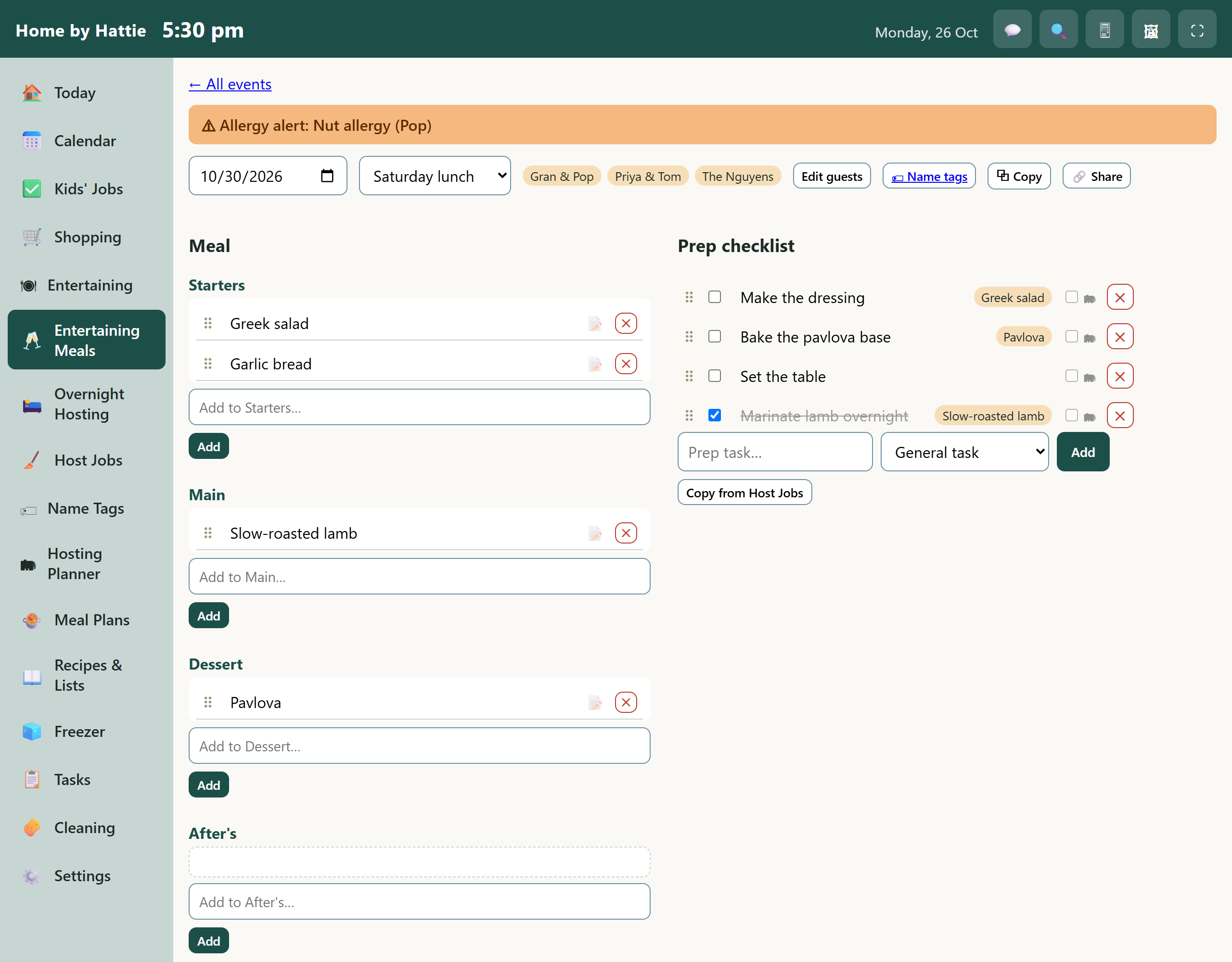
Plan a get-together, keep a guest register with allergies, and get a prep checklist.
Photos, recipes and more
A photo slideshow for the wall, your recipes and a freezer list, all in the same place.
Wherever you are
On the wall at home. In your pocket out and about.
Run it on an old tablet in the kitchen so the day is always in view, then check the shopping list from the supermarket car park.
- Works in the browser on phones, tablets and computers
- Wall display mode for the kitchen
- An optional PIN keeps little fingers out of the settings
Having people over
Hosting without the mental load.
Keep a register of the people you cook for, who's allergic to what and where they're from, then turn the menu into a prep checklist.
- Allergy alerts on every guest
- Add several guests at once, just type their names
- Reuse your best menus again and again
Getting started
Up and running in an evening.
Sign up
Create your household and invite the family with a link.
Connect your calendar
Link Google Calendar if you use it. Skip it if you don't.
Put it on the wall
Open it on a spare tablet and leave it on the fridge or the kitchen bench.
Your family's information
Private to your household.
What you put in belongs to you. We keep it simple and say it plainly.
Kept separate
Every household has its own separate database. Nobody else can see yours.
Never sold
No advertising, no tracking cookies, and your information is never shared or sold.
Yours to take
Ask for a copy of everything, or ask for your household to be deleted completely.
Pricing
Free while we're learning from real families.
Pilot households
Pricing will be announced before the pilot ends.
- Everything on this page
- Your whole household, no limit on family members
- Direct help from us if anything goes wrong
We'll tell pilot households well ahead of any change and never charge without asking.
Questions
Good to know
Do I need a Google account?
No. Google Calendar and Google Tasks are optional extras. Home by Hattie works on its own, and only connects to Google if you choose to.
Can I use it with Alexa or “Hey Google”?
Not for the shopping list yet. Google's assistant sends shopping items to a place apps can't read. “Hey Google, add a task” does appear in Hattie's task list when Google is connected. We're keeping an eye out for better ways to do voice.
Do the kids and grandparents need accounts?
Whoever you invite can sign in with their own account. Children don't need one. The wall tablet can stay signed in, with an optional PIN lock.
What do I need to run the wall display?
Any tablet or screen with a web browser. An old tablet is perfect.
What happens to our information?
It stays private to your household, is never sold or used for advertising, and you can ask for a copy or for it to be deleted. See the privacy page.
We're running a small pilot
Home by Hattie is being tried out by a handful of families before it opens up. If you already have an account, you can sign in below.